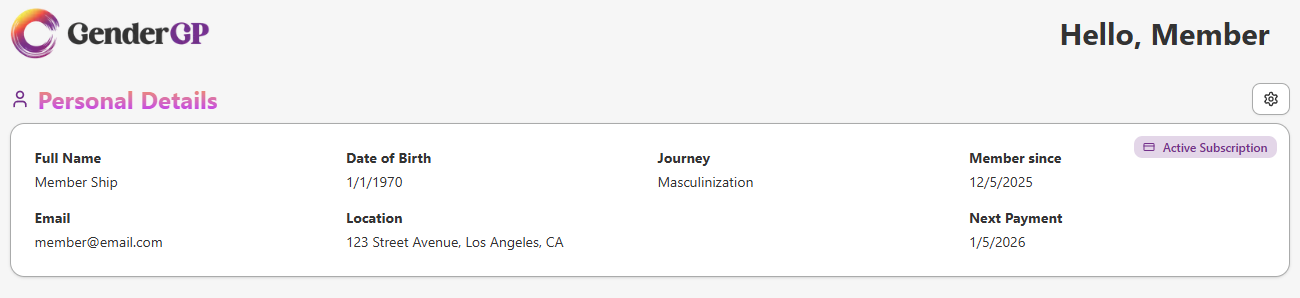
2. You'll see your details how they currently are. In the top right, hit the cog icon to open the User Settings menu
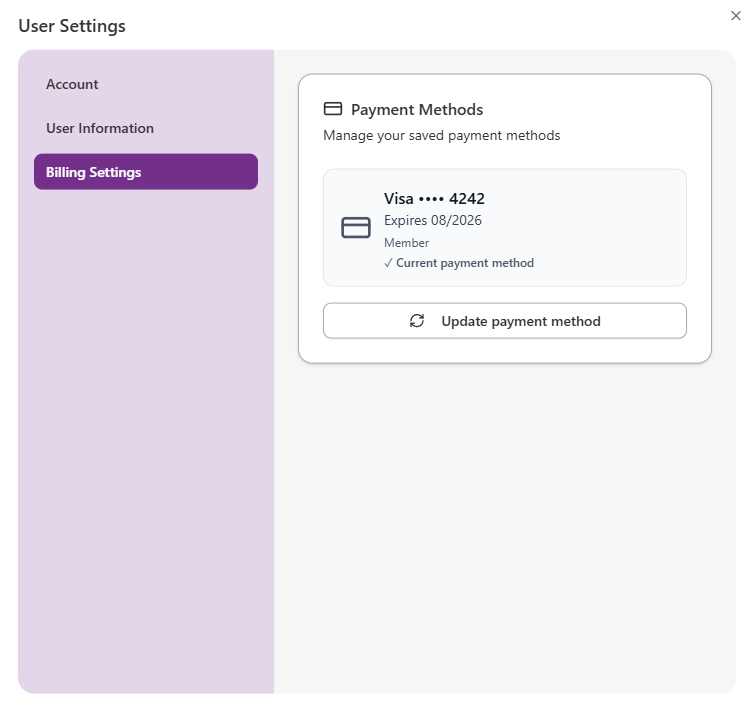
3. Hit Billing Settings to show your currently saved payment method. If you need to change it, hit Update payment method
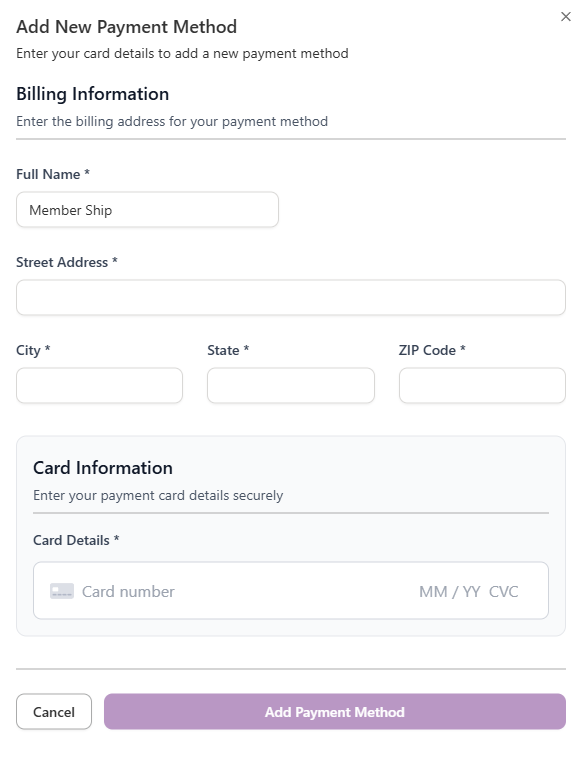
4. Fill out your payment details
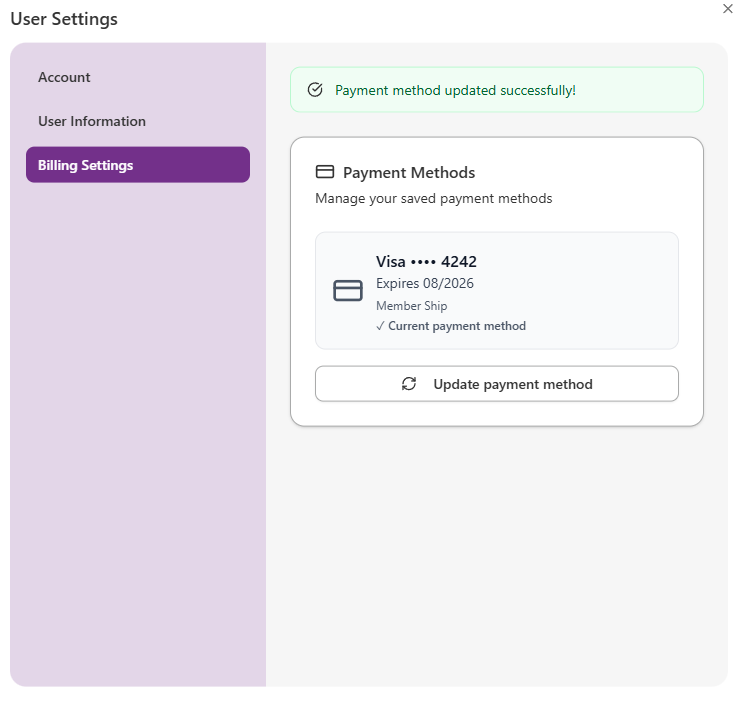
5. Hit Add Payment Method and your new payment details will be saved. If this is successful, you'll the Payment method updated successfully notification at the top of the Billing Settings screen